
Freight operations, one continuous record
One lane. Every move. In view.
Price, dispatch, track, document, and settle freight without losing the load between handoffs.
Route visualization unavailable. The full platform overview remains available below.
Freight operations, one continuous record
Price, dispatch, track, document, and settle freight without losing the load between handoffs.
01 / Quote
Capture the customer, route, equipment, carrier, and charge details in one working load record before dispatch.
02 / Plan and assign
Move a confirmed load into dispatch, assign capacity, and make operational ownership clear without rebuilding the shipment.
03 / Move and track
Follow stops, status, and supporting documents through delivery from the same load context used by the operations team.
04 / Settle
Keep charges, invoices, and delivery documents connected when the move is complete and the team is ready to settle it.
The difference / Six broker-critical workflows
Scroll through six workflows a 3PL broker handles every day—from grouping compatible LTL freight and reviewing roll-up margin to customer visibility and carrier exception control.
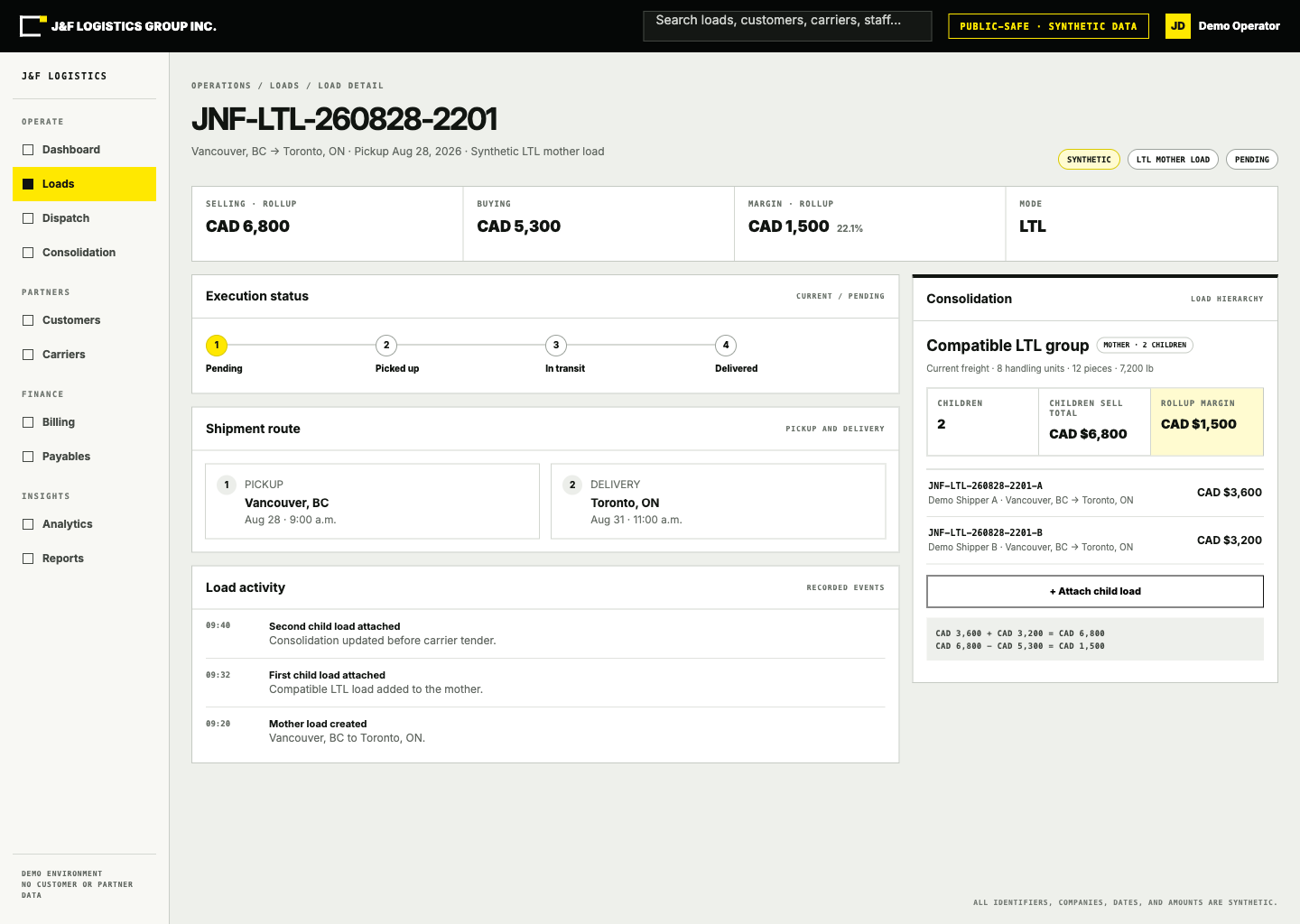
01 / Mother and child execution
The uncropped view keeps the mother load, customer child loads, shipment route, execution activity, and commercial roll-up together.
01.1 / Consolidation planning
Eligible child loads keep their customer detail while a mother load groups compatible LTL freight with the same origin and destination.
01.2 / Consolidated profitability
Authorized users see each child sell, total customer revenue, the mother-load carrier buy, and the resulting roll-up margin in one calculation.
01.3 / Full view
The screen zooms back to its uncropped 1× view before the customer workspace appears.
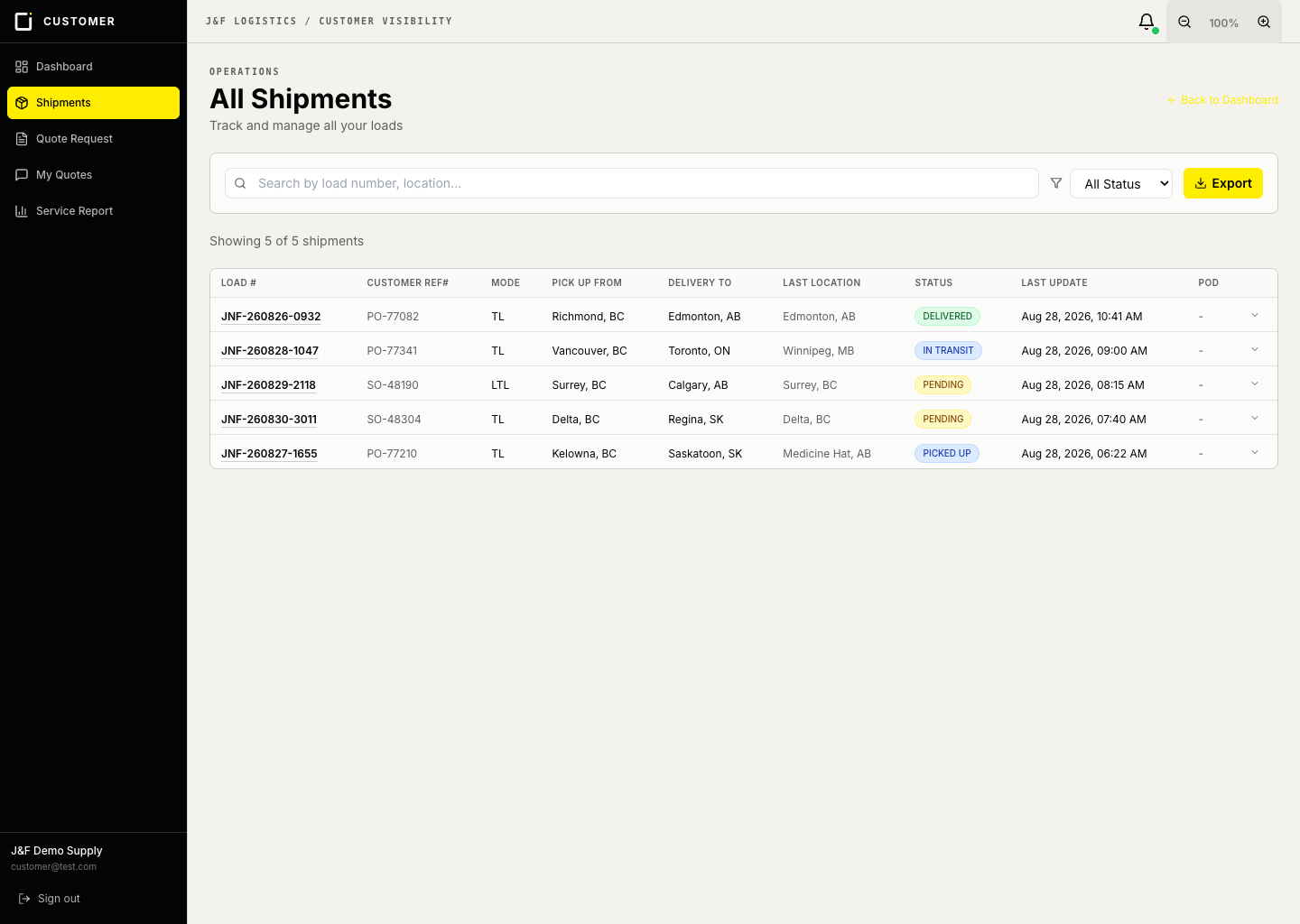
02.1 / Company shipment roster
Customers can scan load number, reference, mode, lane, last recorded location, and status without asking for a manual lookup.
02.2 / Recorded shipment status
The portal shows each shipment’s recorded status, last-location context, and last update time.
02.3 / Search, filter, and export
Search and status filters reach the right shipment quickly, with Excel export available for the customer’s own reporting workflow.
02.4 / Full view
The customer roster resets to its uncropped 1× view before the carrier workspace appears.
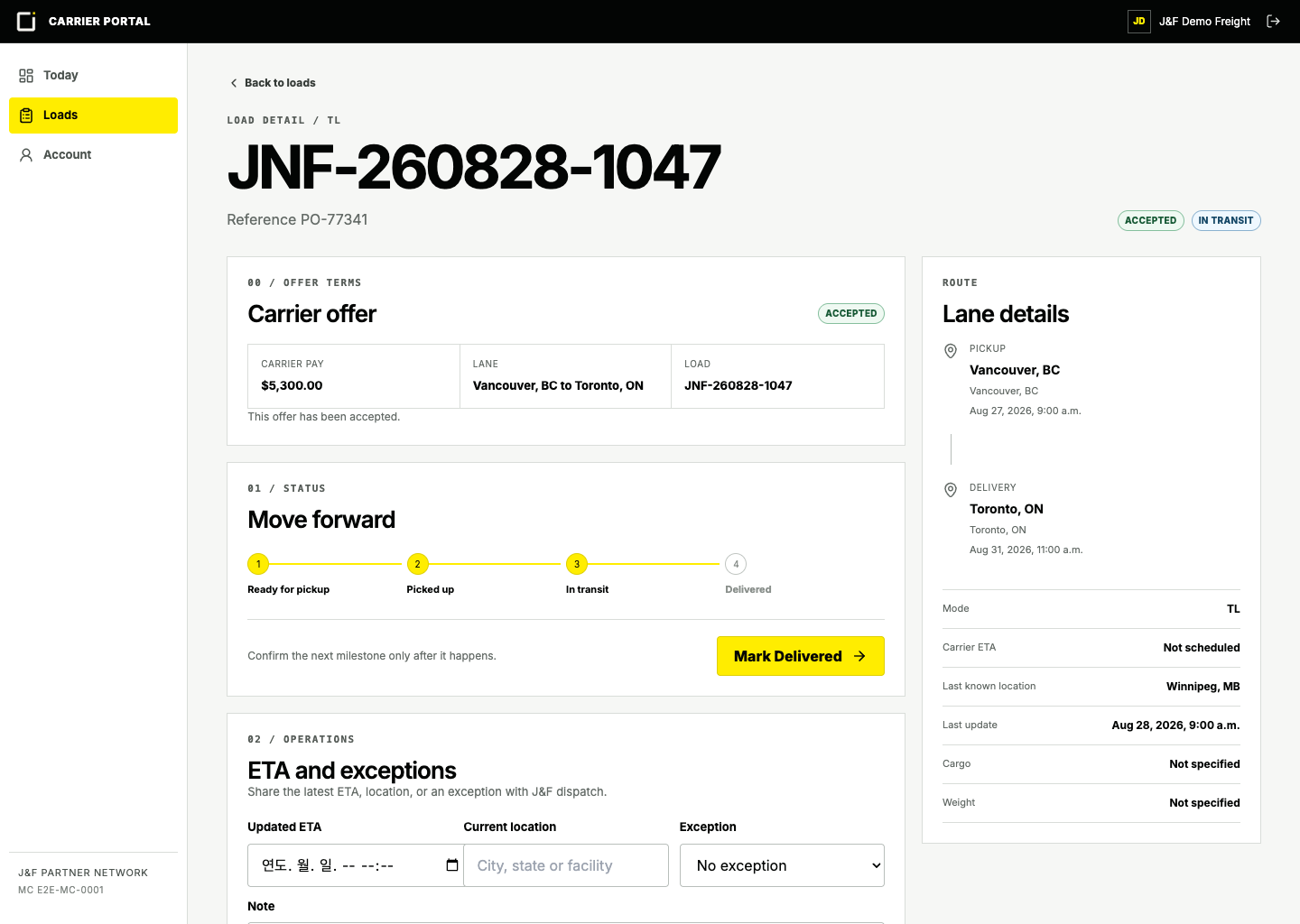
03.1 / Confirmed tender terms
The carrier sees the accepted pay, lane, and load identifier before execution begins—without unrelated back-office detail.
03.2 / Verified milestones
An accepted carrier can move only from pending to picked up, in transit, and delivered in that order.
03.3 / ETA and exceptions
Carrier ETA, last location, and named exceptions are written to the load history and generate staff notifications.
03.4 / Full view
The screen returns to its uncropped 1× state before the product walkthrough ends.
Managed freight / Platform plus people
J&F also manages FTL and LTL freight with a real operations team accountable from pickup plan through delivery.


Choose the operating model
Existing account access
Internal load execution, administration, pricing, dispatch, and settlement.
Open workspace → 02 / Shippers Customer portalShipment visibility and quoting access for existing J&F customers.
Open customer access → 03 / Partners Carrier portalLoad execution access for approved J&F carrier partners.
Open carrier access →